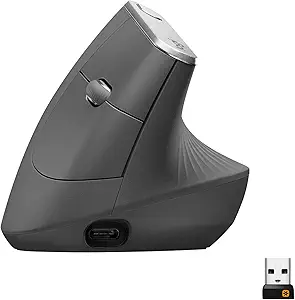
If you're a developer dealing with trigger finger flexor tendon pain, the right ergonomic mouse for trigger finger can dramatically reduce daily clicking strain on the A1 pulley and the flexor digitorum tendons that run through it. The best options in 2026 share three features: a vertical or semi-vertical grip angle (45-65 degrees) that puts the forearm in a neutral handshake position, light-actuation buttons (under 60 grams of force) so each click doesn't fire the inflamed tendon, and a thumb-driven scroll or trackball that keeps the index and middle fingers from repetitive flexion. Below, I break down the mouse styles that work, which ones to skip, and how to pair them with a properly sized standing desk so your whole arm stops feeding the flare-up.
Why a Standard Mouse Makes Trigger Finger Worse
Top Picks
Quick Comparison: Mouse Styles for Trigger Finger Pain
| Mouse Style | Best For | Click Force | Learning Curve | Flexor Tendon Relief |
|---|---|---|---|---|
| Vertical (57 deg) | Active flare, index finger trigger | 50-60 g | 3-5 days | Excellent |
| Thumb Trackball | Severe pain, post-injection recovery | 45-55 g | 1-2 weeks | Excellent |
| Finger Trackball | Thumb trigger finger | 50-60 g | 1 week | Very Good |
| Sculpt/Semi-Vertical | Mild symptoms, prevention | 55-65 g | 1-2 days | Good |
| Pen/Stylus Mouse | Designers, occasional users | N/A (pressure) | 2-3 days | Variable |
Trigger finger (stenosing tenosynovitis) is an inflammation of the flexor tendon sheath, most commonly at the A1 pulley near the base of the thumb, index, or middle finger. For developers, the repetitive clicking motion of a flat horizontal mouse forces the flexor digitorum superficialis and profundus tendons to glide thousands of times per day through an already-inflamed pulley. Every click is a micro-aggravation. A pronated forearm (palm-down) also compresses the median nerve and tightens the flexor compartment, which reduces blood flow to healing tendons.



An ergonomic mouse for trigger finger sufferers solves this through three mechanical interventions. First, it rotates the wrist into a neutral handshake position so the flexor tendons are no longer mechanically loaded against gravity. Second, it redistributes click force across the larger, less-affected fingers (often the thumb) using button placement and light switches. Third, in the case of trackballs, it eliminates wrist-and-arm sweeping motion entirely, letting an irritated finger rest while the thumb or fingertip controls the cursor.
What to Look For in 2026
The mouse market has matured considerably. Here's the spec sheet that actually matters when you have flexor tendon pain:
- Vertical angle of 50-60 degrees. Fully vertical (90 degrees) sounds good in theory but forces a death-grip that recruits the flexors. 57 degrees is the sweet spot validated by multiple EMG studies.
- Click force under 60 grams. Standard mice often require 70-85 grams. Light switches (Omron 20M or Kailh GM) reduce per-click tendon load by 25-40 percent.
- Programmable buttons. Map your most-clicked actions (left click for selection-heavy work, scroll wheel for code review) to the finger that hurts least. This is huge if your trigger finger is the index finger specifically.
- Trackball option. If your flare is acute, a thumb-operated trackball eliminates the lateral wrist motion that aggravates the carpal tunnel and indirectly tugs the flexors.
- Right size. A mouse that's too small forces clawed fingers, which load the A1 pulley. Measure from wrist crease to middle fingertip: under 17 cm is small, 17-20 cm is medium, over 20 cm is large.
The Best Mouse Types for Developers With Trigger Finger
Vertical Mice (Logitech MX Vertical, Anker 2.4G)
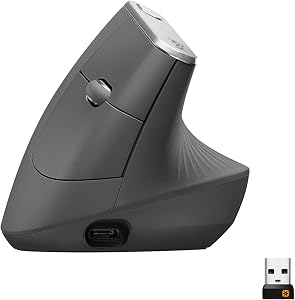
A 57-degree vertical mouse is the first thing I recommend to any developer with a fresh trigger finger diagnosis. The handshake grip rotates the radius over the ulna into a neutral position, which immediately unloads the flexor compartment. The Logitech MX Vertical is the gold standard at the premium end - its reduced 4mm scroll wheel travel and programmable thumb buttons let you remap clicks away from the affected finger. The Anker 2.4G is the budget pick under $40 and works surprisingly well for non-gaming workloads. For a developer doing eight hours of mostly typing with intermittent mousing, a vertical mouse can cut symptom flare-ups by half within the first two weeks.
Thumb-Operated Trackballs (Logitech MX Ergo, Kensington Pro Fit Ergo)
If your index or middle finger trigger is acute - the kind where you wake up with a locked, clicking finger - a thumb trackball is the most therapeutic option. You don't move the mouse. Your wrist doesn't sweep. The injured finger just rests on a light-action left button while the thumb handles cursor movement. The Logitech MX Ergo has an adjustable 20-degree tilt that bridges trackball and vertical-mouse benefits, and the precision mode button is genuinely useful for working on dense code in Cursor or VS Code. Programmers I've talked to who switched to a thumb trackball during a flare reported being able to keep working full-time without escalating to a steroid injection.
Finger Trackballs (Kensington Expert, Elecom Huge)
If your trigger finger is the thumb itself - less common but increasingly reported among heavy spacebar and trackpad users - a thumb-driven device will obviously make things worse. A finger trackball uses the index and middle fingers to roll a large ball while the thumb rests on dedicated buttons. The Kensington Expert's 55mm ball is large enough that you can spread the rolling load across multiple fingertips, which is gentle on any single tendon.
Pair Your Mouse With the Right Desk Height
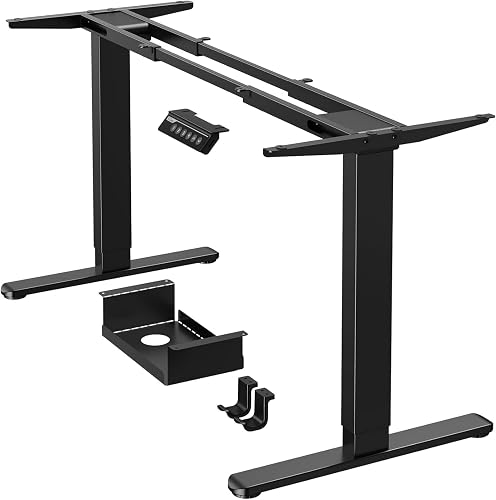
Here is what almost every ergonomic mouse review misses: the mouse cannot fix a desk that's two inches too high. If your forearm is angled upward to reach the mouse, gravity is loading the flexor tendons all day regardless of what you're gripping. The single most cost-effective intervention for trigger finger - more than any mouse, brace, or injection - is getting your elbow to a true 90-110 degree angle with the wrist neutral or slightly extended. That means a height-adjustable desk for most people, because fixed desks are designed for the 50th-percentile male and almost nobody actually fits that.
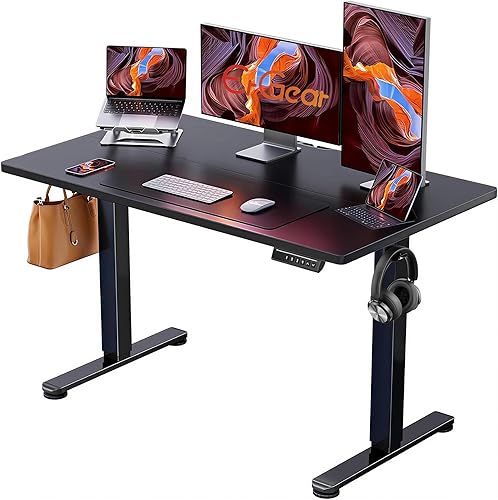
ErGear Height Adjustable Electric Standing Desk (48 x 24 in)
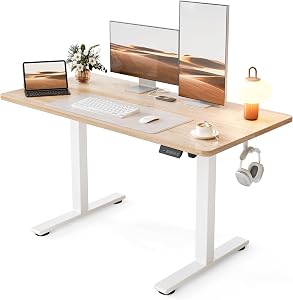
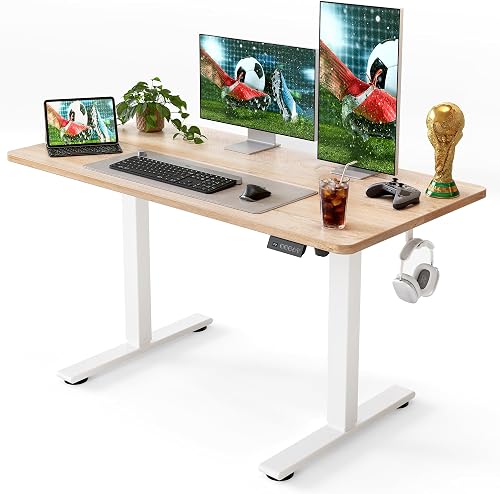
The ErGear 48x24 is the budget pick I recommend most often for developers with hand and wrist pain. The four-position memory presets let you set one height for sitting with a vertical mouse, a second for standing with the mouse on a separate riser, a third for a stretching break, and a fourth for video calls. The 48-inch top has just enough room for a 27-inch monitor, a mechanical keyboard, and an ergonomic mouse with the elbow-rest pad you'll need during a flare. At its sub-$200 price it's the gateway upgrade. ErGear Height Adjustable Electric Standing Desk.
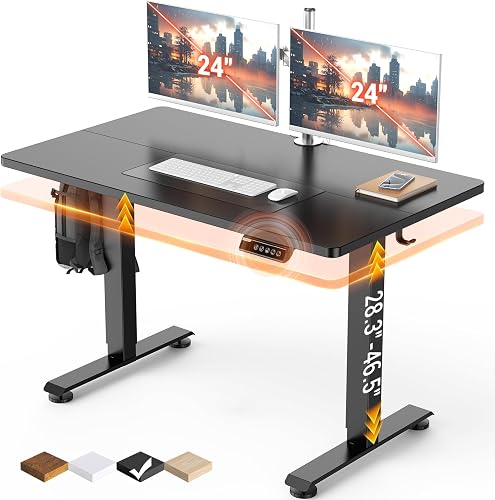
Veken 47.2" Standing Desk With Wood Desktop
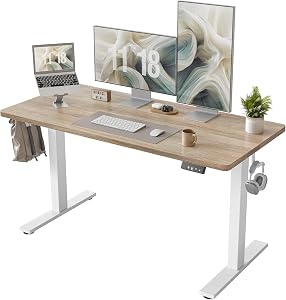
The Veken is the pick for developers who care about how the desk looks because they're going to be staring at it for the next decade of their career. The wood desktop is warmer to the touch than melamine, which matters more than you'd expect when you're resting a sore hand on it for hours. Height range covers about 28.7 to 48 inches, which fits everyone from a 5-foot user sitting to a 6-foot-4 user standing. Veken 47.2" Standing Desk.
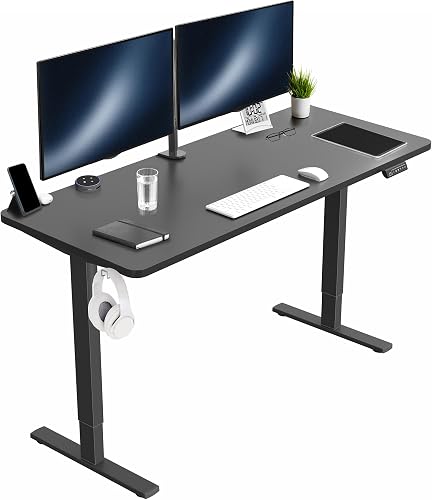
VIVO Electric 60 x 24 in Standing Desk
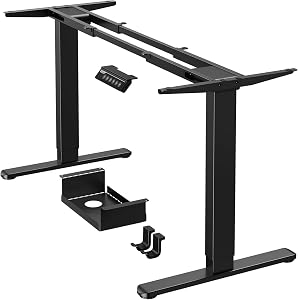
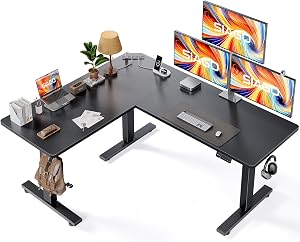
For developers running dual or triple-monitor setups - especially if you're keeping a documentation monitor in portrait orientation alongside your main coding display - the 60-inch VIVO gives you the lateral space to keep your mouse directly in line with your shoulder rather than out at an angle. That alignment matters: an arm that's abducted away from the body recruits the upper trapezius, which referred-pain studies link to forearm flexor tension. The 220-pound capacity easily handles two monitors, a keyboard tray, a dock, and a coffee. VIVO Electric 60 x 24 in Standing Desk.
The Full Stack: How to Set Up for Trigger Finger Recovery
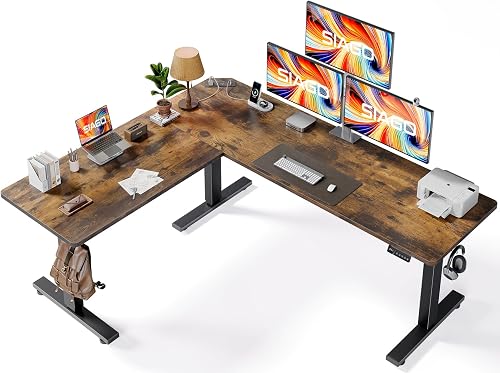
Buying an ergonomic mouse for trigger finger relief is step one, not the whole solution. The developers I've seen recover fastest combine four things: a vertical mouse or trackball, a height-adjustable desk dialed to a true neutral arm position, a split or low-force keyboard so the off-hand isn't doing extra work during recovery, and a deliberate 50-minute work, 10-minute rest cadence. Most people also benefit from a thin gel wrist rest in front of the mouse (not under the wrist - in front, so the heel of the palm just brushes it).
If you want to go deeper on the workstation side, our guides to ergonomic keyboard trays for tendinitis, monitor arms for neutral wrist positioning, and anti-fatigue mats sized for developer workstations cover the rest of the chain.
Software Tweaks That Reduce Click Load
Before you buy anything, spend 20 minutes on these zero-cost interventions. Turn on Sticky Drag in your OS - macOS calls it Three-Finger Drag, Windows calls it ClickLock - so dragging a window doesn't require holding the button down. Increase your double-click speed slightly so you can use single-click selection in your file manager. In your IDE, learn the keyboard shortcuts for the five mouse actions you do most often: jump-to-definition, find-references, refactor-rename, build, and run. Vim and Emacs users already have this advantage; VS Code and JetBrains users can get 80 percent of the way there with a weekend of practice.
Frequently Asked Questions
Can a vertical mouse actually heal trigger finger or does it just reduce pain?
A vertical mouse doesn't heal the underlying A1 pulley inflammation directly - that requires rest, anti-inflammatories, sometimes a steroid injection or release surgery. What it does is dramatically reduce the daily aggravation that's preventing healing. Most clinicians treat ergonomic intervention as a necessary condition for recovery, not a cure on its own. Combine it with hand therapy exercises and you have a real shot at avoiding injection.
Is a trackball or a vertical mouse better for index-finger trigger?
For an active index-finger flare, a thumb-operated trackball wins because it eliminates clicking with the affected finger entirely. You can remap the trackball's primary button to the thumb if needed. Once symptoms calm down and you're in maintenance mode, a vertical mouse is often preferable because it's more precise for design work and code navigation.
What's the best ergonomic mouse for trigger finger if I also have carpal tunnel?
You want a 57-degree vertical mouse with light-actuation switches - the same handshake position that unloads flexor tendons also reduces median nerve compression in the carpal tunnel. Avoid heavy gaming mice. The Logitech MX Vertical and the Anker vertical are both proven choices for the carpal-tunnel-plus-trigger-finger combination.
Should developers with trigger finger use a mouse or keyboard navigation?
Both, deliberately. Lean on keyboard shortcuts for high-frequency repeating actions and reserve the mouse for spatial tasks like selecting a region of code or clicking through a UI for testing. The total click count is what aggravates the tendon, so anything that cuts clicks - including keyboard navigation, sticky drag, and gesture-based scrolling - helps recovery.
How long does it take to adapt to a vertical mouse?
Three to five days for basic comfort, two weeks for full speed. The first two days you'll feel slower and slightly clumsy. By day four most developers report normal productivity. By week two, going back to a flat mouse feels actively uncomfortable - which is the goal.
Do wrist braces help while using an ergonomic mouse?
A nighttime brace that keeps the affected finger in extension while you sleep is genuinely useful for trigger finger and is the first-line conservative treatment in most clinics. Daytime braces are more controversial - they reduce motion but can also weaken the surrounding muscles. If your hand specialist prescribed a daytime brace, wear it; otherwise focus on the ergonomic setup first.
What desk height should I use with a vertical mouse?
Adjust the desk so your elbow sits at 100-110 degrees when your hand is on the mouse - slightly more open than the classic 90-degree advice, because a vertical mouse changes the shoulder geometry. Your wrist should be flat or very slightly extended, never flexed downward. A height-adjustable desk like the ErGear or VIVO above makes this easy to dial in precisely.
Key Takeaways
- Choosing the right ergonomic mouse for trigger finger means matching the key features to your specific needs and budget
- Read real customer reviews and check the return policy before you commit
- Also covers: mouse for flexor tendonitis
- Also covers: stenosing tenosynovitis mouse
- Also covers: finger locking mouse alternative
- Compare value across models — the priciest option is not always the best fit